Updates
Changelog
Stay up to date with the latest Adrio product updates, new features and improvements.
Automations tell you when they are done
When an automation finishes, you get an email with a short summary of what Spark did. If a run is waiting on your approval, or fails, you hear about that too. Turn the emails off per automation if you would rather check in yourself. There is also a small library of automation templates to start from, so you do not have to write every schedule from scratch.
Video ads that look finished
Thirteen caption styles to choose from, up from four, including a few loud ones (kinetic slam, neon glow, glitch) and a few quiet ones (bar, glass). Whatever style you pick is the one you get. Silent gaps where the model paused are cut out automatically. Ads can run with a voiceover or no speech at all, and quiet scenes are allowed to stay quiet. You can also add timed on-screen graphics, or move the captions anywhere on the canvas, or turn them off.
One place for all your brand media
Every image and video you have ever given Adrio now lives in one library: product photos, logos, reference ads, anything you dropped into a Spark chat. Search it, filter it, archive what you no longer need. Upload the same file twice and you get one copy, not two. Spark looks through the library on its own, so when an ad needs a product shot it goes and finds one instead of asking you to upload it again.
Spark gets its own page
Spark used to live in a side drawer. It now has a full page, with your chats down the side and a details panel showing which product and projects a chat is about. Not sure where to start? Pick from a list of common tasks and edit the prompt before you send it. When Spark needs something from you, it asks with a proper form: pick a product from a list, choose media from your library, or type an answer. No more spelling out product names in chat. You can also attach videos now, up to 20 files per message.
The video editor assistant can build, not just tweak
Ask for a grain overlay, a new title layer, or an image that does not exist yet, and the assistant makes it. It looks at the rendered frames while it works, so it can check its own result before handing it back. Colour grading is new too: adjust it from the inspector, ask the assistant to do it, and flip between graded and original footage to compare. Edits run in the background and you can watch what the assistant is doing step by step.
Better video ads in 1080p
Video ads now come out in 1080p. Regular quality routes realistic ads and stylised ads to different models, and premium runs on Seedance 2.5. The same actor and the same product now carry through from one scene to the next instead of drifting. Two new looks: paper collage and adult cartoon.
Edit videos by chatting
Open a video in the editor, say what you want changed, and Spark makes the edit.
Spark can launch and manage Meta ads
Connect your Meta ad account and Spark can publish ads, set up campaigns and ad sets, and change budgets or pause things. It asks before every action by default. If you trust it with something, save that permission and it stops asking for that one.
Upload your own creatives and watchlist credits
You can add your own images to a project alongside generated creatives. Watchlist changes too: adding companies is free up to a limit, then costs credits.
Spark learns from your feedback
Tell Spark once and it should stick. Corrections on creatives and instructions in chat go into brand memory, and Spark can look back at earlier chats when it needs context. It is careful about it: a preference only becomes a rule after it has come up a few times.
Live generation progress
Creative and video generation show live progress, with a time estimate based on how long recent runs took.
Smarter ad library search
We re-analysed every ad in the library. Each one is now tagged with its product category, the angle it takes, and what it is trying to get you to do. Search matches on meaning and on exact words at the same time, so results are closer to what you typed.
Spark asks better questions
When Spark is unsure, it now asks everything it needs in one go, up to four multiple-choice questions on a single card, with its own recommendation at the top. Fewer round trips before the work starts.
Sharper creatives and better product placement
Finished creatives are upscaled before you see them. If the ad calls for the product on screen, Spark picks the product photos itself instead of asking. We also tightened the copy rules: shorter words, plainer sentences.
More document formats for Spark
Spark no longer needs a PDF. Drop in a Word doc, a slide deck, a spreadsheet, or a Google Doc and it reads it the same way, as a brief, a chat attachment, or a knowledge file. Any images inside the document show up as possible references.
Project folders
You can now put projects into folders. Make one per client or per campaign, whatever fits how you work, and move projects between them.
Connect Adrio to Claude
Connect your Adrio workspace to Claude to search competitor ads, create angles and audiences, manage swipe files, and send briefs to Spark.
Automations with Spark
Schedule Spark to handle recurring work for your brand. Review proposed actions before they run, or use autopilot when you want Spark to take care of them.
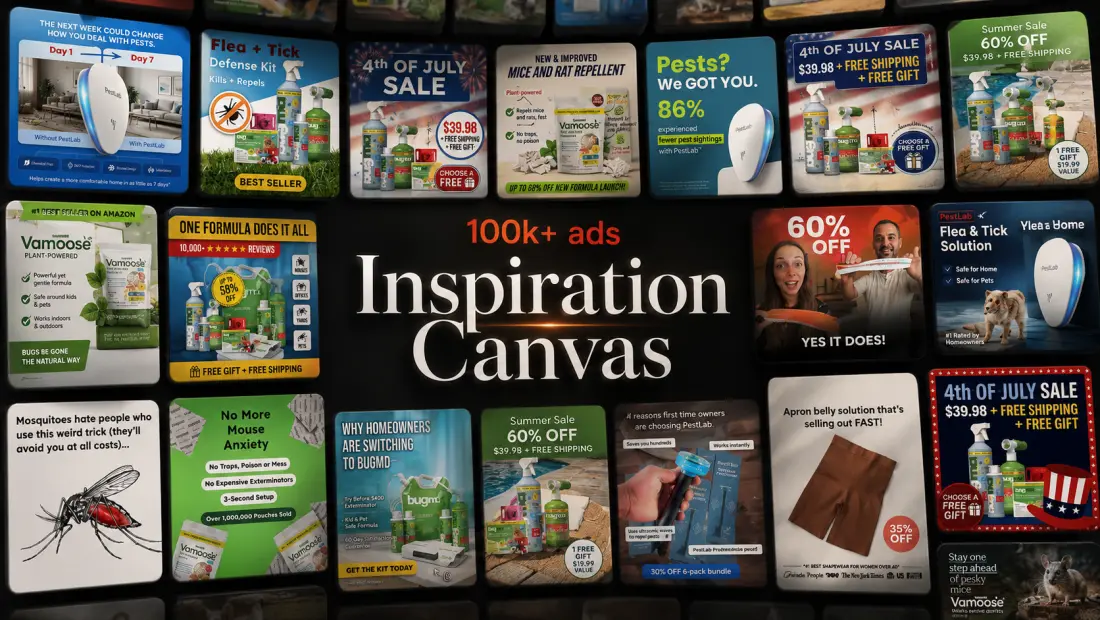
Inspiration Canvas: ad library intelligence
Browse a canvas of 100k+ real ads to find proven angles, hooks, and audiences. Search by what an ad is actually saying, filter the results, and send any ad straight into Spark to clone it or remix it for your product.
Web search in Adrio Spark
Adrio Spark can now search the web for new angles, audience ideas, customer reviews, and claims that need backing up. It also shows the sources it used.
Context mentions for Spark
You can now use @ mentions to add products, angles, and audiences directly to a Spark prompt. This is useful when you want Spark to research a specific product, update an angle, or create variations from existing work.
Better brand scraping
Brand scraping now pulls in cleaner details from your website. You can also refresh your brand from settings when your site changes, so new ads stay closer to your actual brand.
Our most powerful feature yet: Adrio Spark
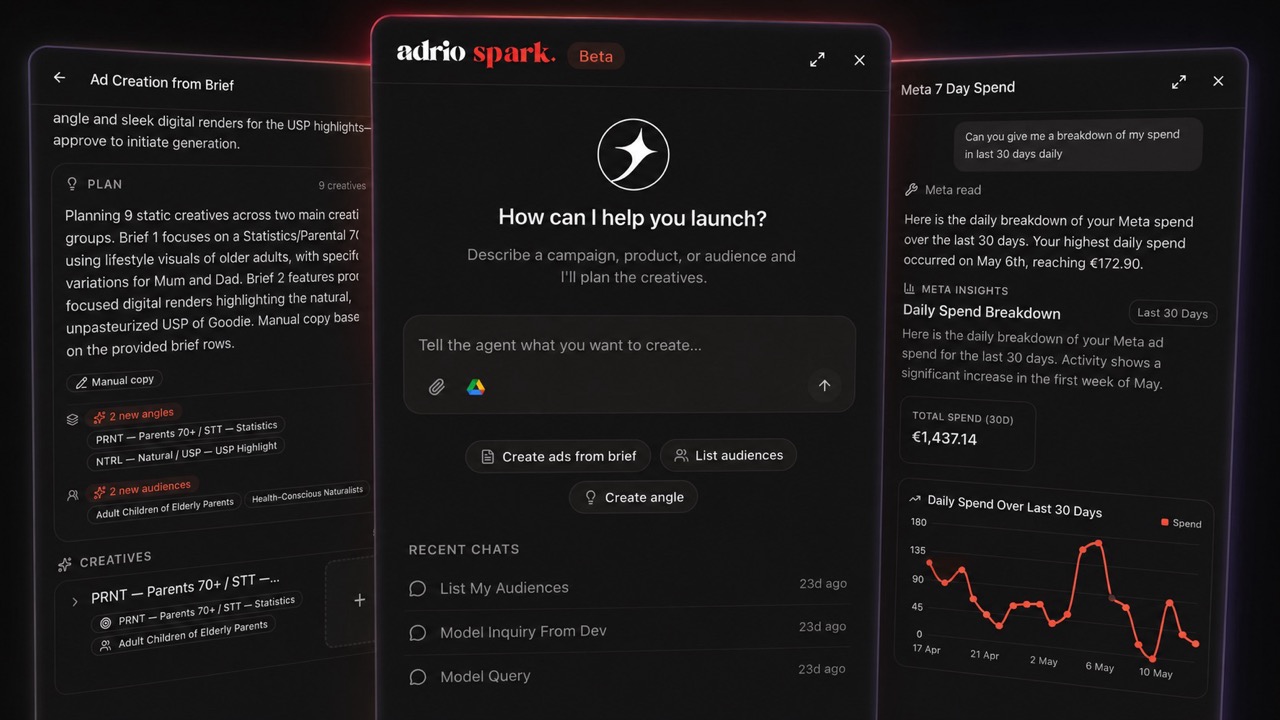
Adrio Spark is our new creative agent, now available in beta. Use it to create ads from PDF briefs and ask it to generate new creative angles. In the near future, you will be able to connect your Meta Ads account, automate the full workflow, and get aggregated performance insights directly from the agent.
Bug fixes and improved access
Bug fixes: Product image selection is now more reliable, preventing errors when choosing items for your ads. Improved access: We have smoothed out the process for resuming creative projects once your subscription is active.
Improved adjustment edits
Improved adjustment edits: We have refined how our system generates adjustments to ensure they are more precise.
Bug fixes and pricing updates
Bug fixes. Pricing updates are now accurately applied when you switch between different ad variations. Creative sessions now load properly when you navigate to them.
CTA placement bug fixes
Bug fixes with CTA placement.
Better text formatting and design guidance
Better text formatting ensures that ad copy looks professional and consistent when editing is restricted. Improved design guidance helps the system generate more visually polished advertisements for your locked content.
More relevant creative generation
The system now uses skills based on your chosen ad type, inferred from the reference image, to create more relevant and targeted content. The system is now more accurate when identifying and using items in your creative projects.
Transparent CTA and faster PDF uploads
CTA button now has a third type: Transparent, with no background. Uploading images from PDFs is now significantly quicker, saving you time when adding attachments.
Required product assets
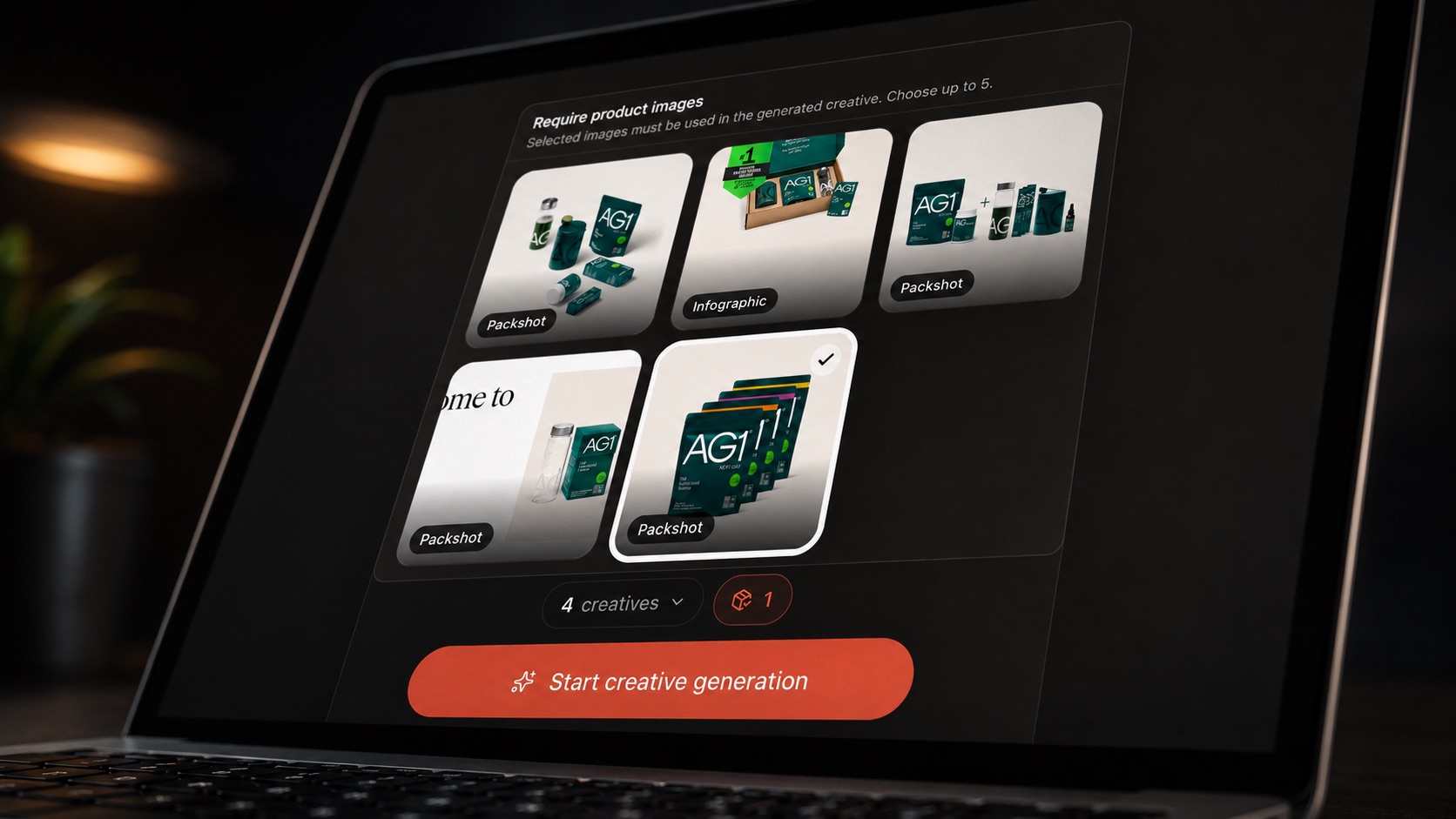
Ability to select product assets that will be required for creative generation.
Project sorting and variation improvements
Ability to sort your projects. Improved reliability: Your variation details are now more accurate and easier to manage. Variation analysis works more reliably.
Faster research loading
Faster loading times for data gathered from websites. Improved performance for your research tasks by optimizing how we store information.