Since Meta launched its official Ads MCP in April 2026, you no longer need Python or a custom script to put your ad account in front of an AI. The fastest path is the official Meta MCP server at , added to Claude or ChatGPT. This guide ranks the real options by who each one fits.
Best Meta Ads MCP tools: quick answer
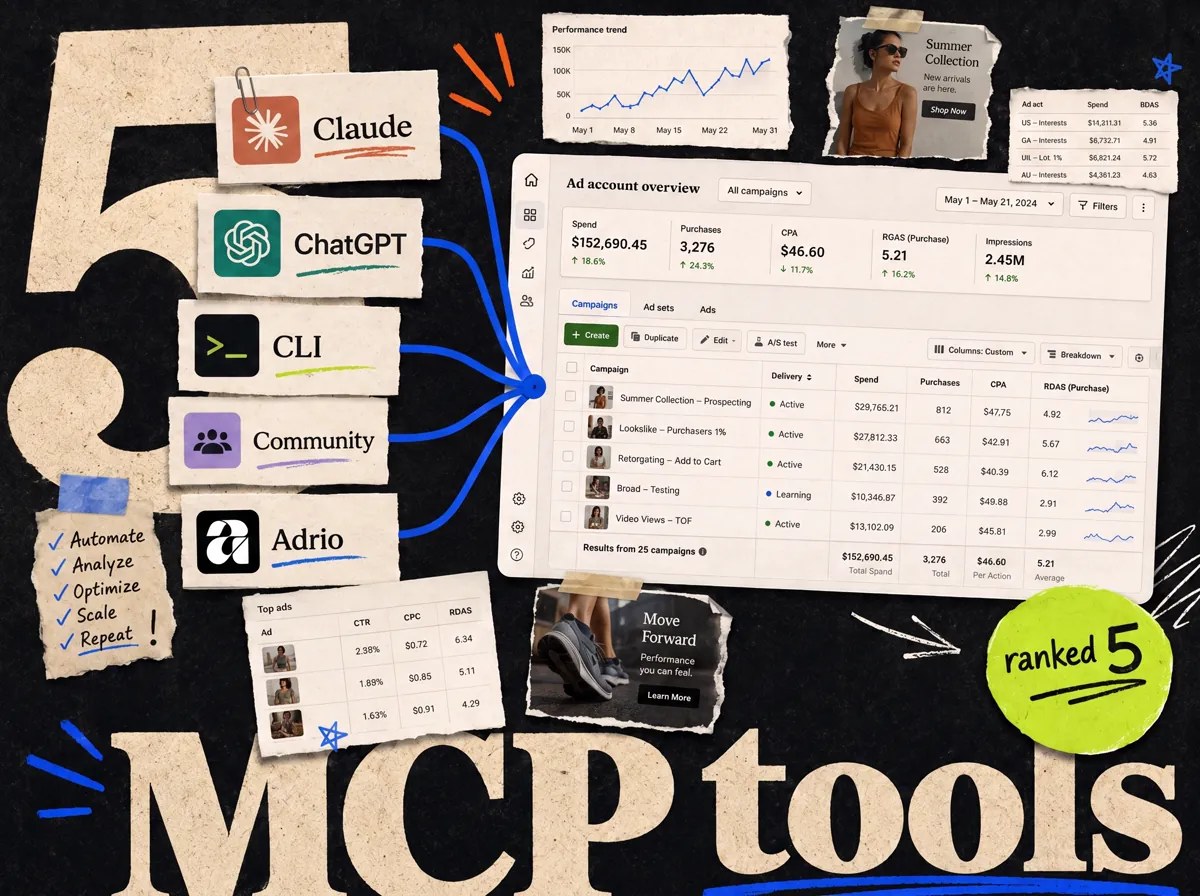
The official Meta Ads MCP in Claude is the best no-code option for most media buyers. ChatGPT works just as well if that is where you already work. The CLI is for developers. Community MCP servers add custom tooling at the cost of trust and setup. Adrio handles the creative side the MCP does not.
| Option | Best for | Setup |
|---|---|---|
| Meta MCP in Claude | No-code, fastest setup | Add custom connector |
| Meta MCP in ChatGPT | Teams already in ChatGPT | Developer mode + app |
| Meta Ads MCP CLI | Developers and custom builds | Terminal, Python 3.12+ |
| Community MCP servers | Custom tools and extra actions | Self-hosted, varies |
| Adrio | The creative the MCP can't make | Web app |
How we picked
We looked at the job each option does: connect a Meta ad account to an AI, then read and manage it safely. We weighted setup effort, who controls the data, and how much real work you can get done. Everything here uses Meta's official MCP except where noted.
1. Meta MCP in Claude - best no-code option
For most media buyers, this is the answer. Claude treats the Meta Ads MCP as a custom connector, so setup is short: add , log in with OAuth, grant the ad account. No developer mode, no terminal.
Once it is on, you can ask Claude for daily reports, audience breakdowns, fatigue checks, and quick edits. Our Meta MCP setup guide walks the whole flow.
Pick this if you want the shortest path from zero to a working connection. You need a Claude Pro or Team plan.
The catch: Claude is a paid plan on top of the free MCP, and write actions are still in beta, so check edits against Ads Manager.
Best for: media buyers and agencies who want a no-code setup that just works.
2. Meta MCP in ChatGPT - best if you already use ChatGPT
The same official server works in ChatGPT. The setup is a few clicks longer because you turn on developer mode and create a custom app, but the result is identical: the AI reads and manages your account through chat.
If your team already lives in ChatGPT, there is no reason to switch tools just for this. See how to connect Meta Ads to ChatGPT for the steps.
The catch: developer mode and the risk warning add friction, and you need a paid ChatGPT plan.
Best for: teams standardized on ChatGPT Plus, Business, or Enterprise.
3. Meta Ads MCP CLI - best for developers
Alongside the MCP server, Meta shipped a developer CLI. It runs in a terminal and needs Python 3.12 or newer. It is not for marketers who just want to chat with their account.
The CLI makes sense when an engineer wants to script reporting, wire the MCP into an internal tool, or run actions in a pipeline rather than a chat window.
The catch: it needs real terminal comfort and ongoing maintenance. Skip it unless you have a developer.
Best for: in-house engineers and technical teams building custom workflows.
4. Community Meta Ads MCP servers - best for custom tooling
Beyond Meta's official server, developers have published open-source Meta Ads MCP servers on GitHub. Some expose extra actions or wrap the Marketing API in their own way. A few are the "all the tools" projects people search for.
These can be useful if you want more control or actions the official server does not offer yet. But there is a real trade-off: you are handing ad account access to code a stranger wrote. Read it, run it yourself, and never paste long-lived credentials into something you have not vetted.
The catch: trust and maintenance are on you. For most teams, the official server is the safer call.
Best for: developers who want custom actions and are comfortable auditing the code.
5. Adrio - best for the creative the MCP can't make
Every MCP option above shares one limit: it manages ads, it does not make them. The Meta MCP can pull reports, edit campaigns, and launch creative you already uploaded. It cannot design a static ad or write the copy.
That gap matters, because creative is what actually decides whether an ad works. Adrio handles that side. It studies competitor ads, breaks them into angle, hook, format, and offer, then generates editable Meta static ads sized for feed, Stories, and Reels.
Pair them: the MCP for reporting and launching, Adrio for the creative going into those campaigns.
The catch: Adrio is a creative tool, not an account connector. It is not a replacement for the MCP. It is the other half.
Best for: media buyers whose bottleneck is producing enough good static ads to test.
Which should you choose?
| If you want... | Pick |
|---|---|
| The fastest no-code setup | Meta MCP in Claude |
| To stay in ChatGPT | Meta MCP in ChatGPT |
| To script it yourself | Meta Ads MCP CLI |
| Custom actions, and you can audit code | Community MCP server |
| To actually make the creative | Adrio |
For most teams, the stack is simple: connect the official Meta MCP in Claude or ChatGPT for reporting and management, and use a creative tool for the ads themselves.
FAQ
What is the best Meta Ads MCP tool? For most media buyers, the official Meta Ads MCP added to Claude is the best option because it is no-code and sets up in about five minutes. ChatGPT is just as capable if your team already uses it. Both connect to the same server at .
Is there an official Meta Ads MCP? Yes. Meta launched an official Ads MCP server in April 2026. The server URL is , and it works with Claude and ChatGPT through OAuth.
Do I need a developer to use the Meta Ads MCP? No. Connecting the official MCP to Claude or ChatGPT is a no-code setup. Only the CLI and community servers need a developer.
Are third-party Meta Ads MCP servers safe? Treat them with caution. An open-source server means handing ad account access to code someone else wrote. Read it, host it yourself, and avoid pasting long-lived credentials. The official Meta server is the safer default.
Can a Meta Ads MCP create ad creative? No. The MCP manages and reports on ads. It can launch creative you already uploaded, but it does not design images or write copy. Use a creative tool like Adrio for that.