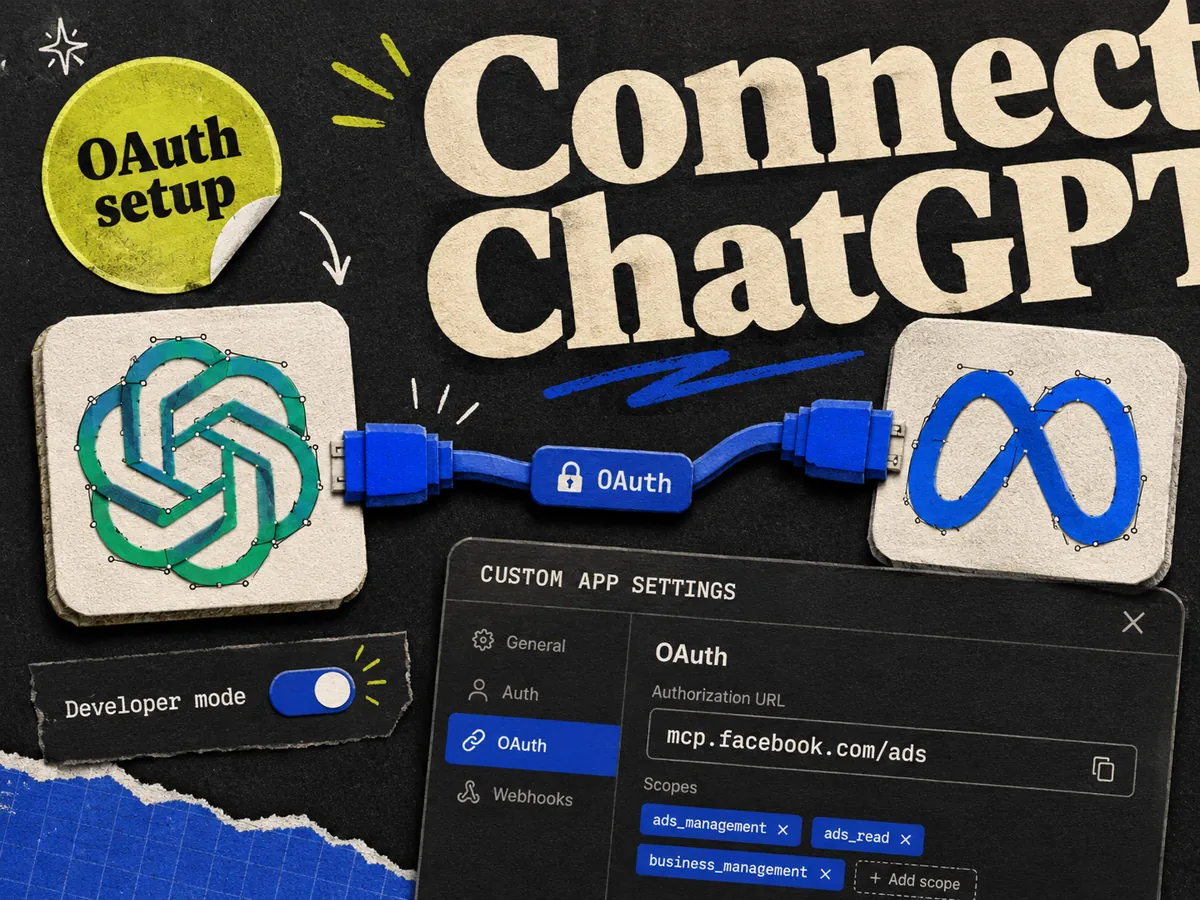
You can connect Meta Ads to ChatGPT using Meta's official MCP server. Turn on developer mode in ChatGPT, create a custom app, set the MCP server URL to , and authenticate with OAuth. Once it is live, you can ask ChatGPT about your campaigns, pull reports, and make edits in plain English.
ChatGPT does not have a built-in Meta connector yet, so this runs through developer mode. It takes a couple more clicks than the Claude setup, but it works the same once it is on.
What you need first
- A ChatGPT paid plan: Plus, Business, or Enterprise.
- A Meta Business account with admin or advertiser access to at least one ad account.
- The Meta MCP server URL: .
- About five minutes.
The MCP itself is free from Meta. The cost is your ChatGPT plan.
Step by step: connect Meta Ads to ChatGPT
- 1.Open ChatGPT and click your profile icon.
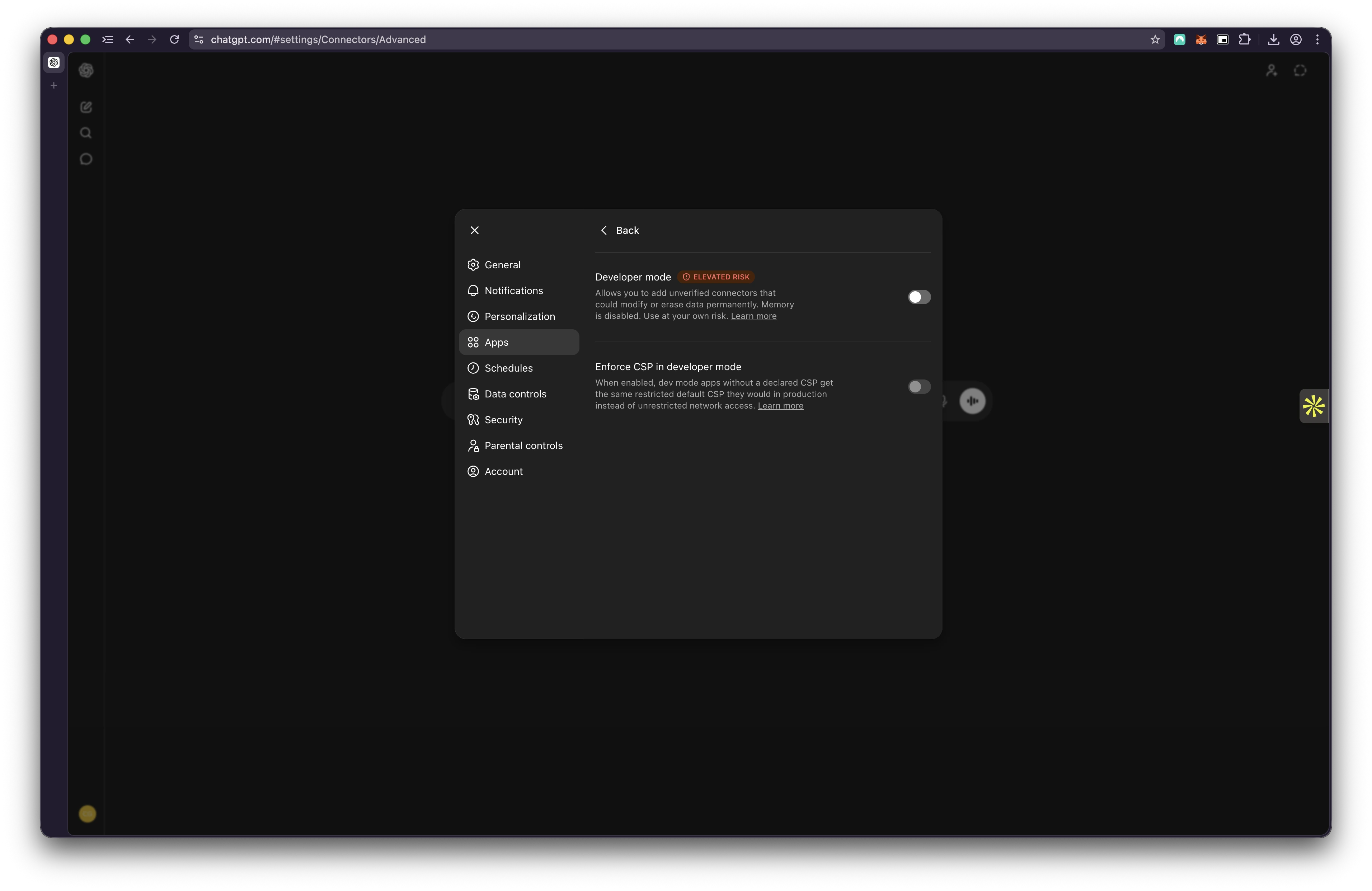
- 2.Go to Settings, then Apps.
- 3.Click Advanced settings and toggle Developer mode on. This is the step people miss. Without it, you cannot create a custom app.
- 4.Go back to Apps and click Create app.
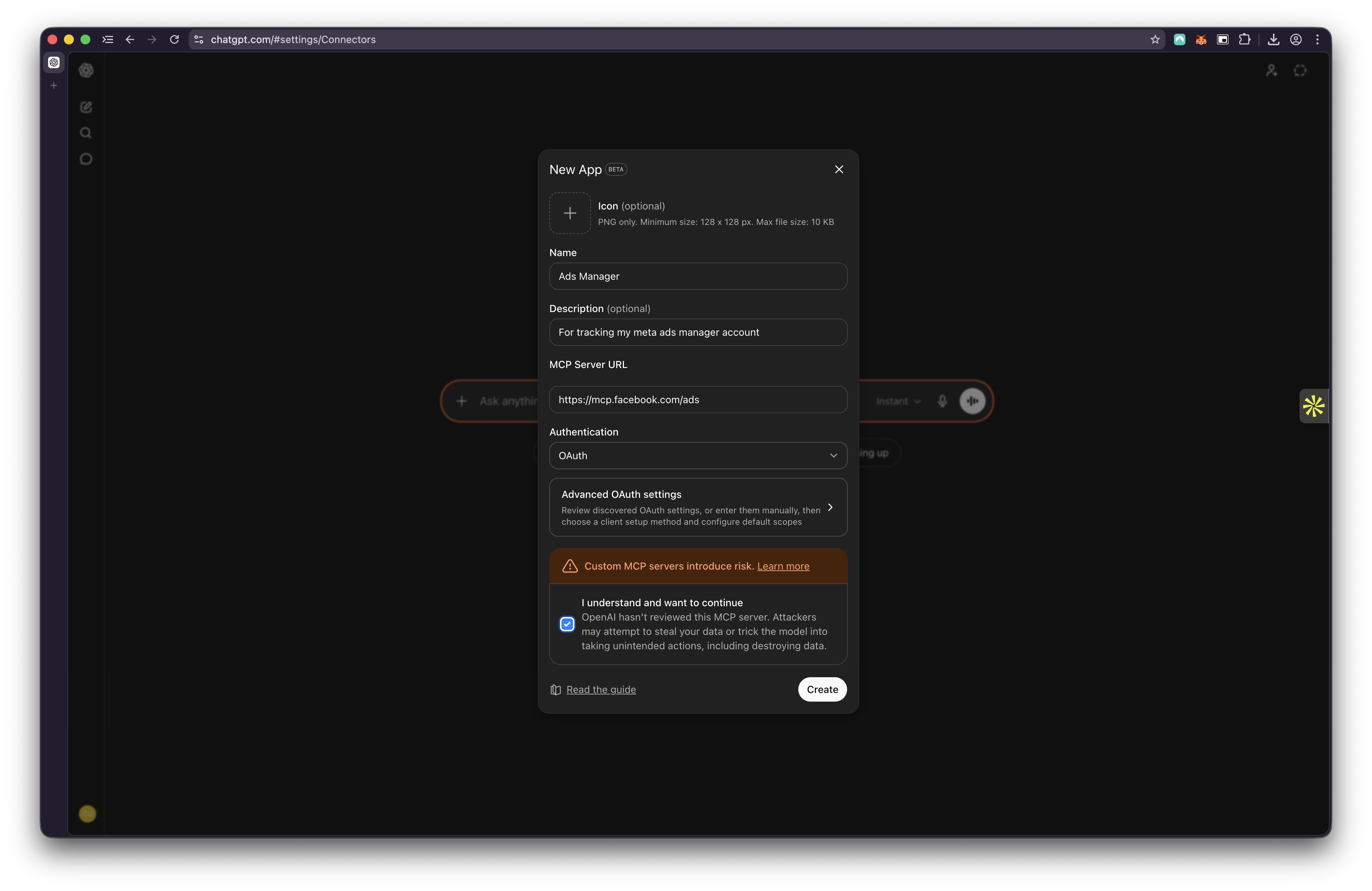
- 5.In the New App modal, set:
- Name: (or anything you like)
- Description: optional, leave it blank
- MCP Server URL:
- Authentication: OAuth
- 1.Tick the I understand and want to continue box on the risk warning.
- 2.Click Create.
- 3.ChatGPT opens the Meta login window. Sign in and pick the ad account you want to expose.
To test it, start a new chat and ask: _"What is my total spend this month across all campaigns?"_ A real number means you are connected. If it says it has no access, redo the login and check that the right ad account was granted.
Always pick OAuth, never No Auth
The auth dropdown has three options. Only one is right.
- OAuth is correct. Meta needs to know who is asking and which ad accounts you are allowed to see. OAuth handles that login.
- No Auth is for open servers that need no login. Meta's server is not one. Pick this and every query fails.
- Mixed is for servers with some open and some protected endpoints. Not relevant here.
You do not need a client ID or a client secret anywhere in this flow. If a guide tells you to create a Meta developer app and copy keys, that is the old API route, not the MCP.
What you can ask once it's connected
This is where it earns its keep. A few prompts to try in a new chat:
- Pull yesterday's spend, ROAS, and CTR for every active campaign, and flag anything down more than 20% from the 7-day average.
- Break down my best campaign last month by age, gender, and placement.
- Find any ads with frequency above 3.5 and a CTR drop over 15% in the last seven days.
- Pause every ad in a named campaign with a CPA above $40.
Anything that changes your account asks for confirmation in the chat first. Test edits on a low-stakes campaign before you trust it on a live one.
ChatGPT or Claude for Meta Ads?
Both use the same Meta MCP server, so the data and the actions are identical. The difference is setup and feel.
| ChatGPT | Claude | |
|---|---|---|
| Setup | Developer mode, then create a custom app | Add a custom connector, no dev mode |
| Auth | OAuth | OAuth |
| Server URL | ||
| Extra steps | Toggle developer mode, accept risk warning | None |
If you already live in ChatGPT, stay there. If you want the shorter setup, Claude adds the connector without the developer mode toggle. Neither is better at reading your ad account, since the MCP does the work.
When the connection fails
A few quick fixes:
- Developer mode is off. Turn it on under Settings, Apps, Advanced settings.
- Wrong auth. Recreate the app with OAuth.
- Wrong account. Log in with a profile that has admin or advertiser access to the ad account.
- Account not in beta. The MCP is rolling out in waves. Some accounts are not switched on yet.
For the full list of errors and fixes, see Meta Ads MCP not working.
What the MCP does not do
The MCP is built for ops: reporting, campaign management, catalogues, and signal health. It does not design or write creative. It can launch an ad from creative you already uploaded, but it will not make the ad for you.
The creative side is still the part that decides whether an ad works, and it is still a manual job. That is the part we build at Adrio, a static ad builder for media buyers. If creative is your bottleneck too, take a look.
FAQ
Can ChatGPT connect to Meta Ads? Yes. ChatGPT connects to Meta Ads through Meta's official MCP server. Turn on developer mode, create a custom app with the URL , and authenticate with OAuth.
What is the Meta MCP server URL for ChatGPT? The URL is . It is the same URL Claude uses. Paste it into the MCP Server URL field when you create the app.
Do I need ChatGPT Plus to connect Meta Ads? You need a paid plan. ChatGPT Plus, Business, or Enterprise all work. The MCP from Meta is free, but custom apps require a paid ChatGPT account.
Why can't I find the Create app option in ChatGPT? Developer mode is off. Go to Settings, then Apps, then Advanced settings, and toggle Developer mode on. The Create app button appears after that.
Is it safe to connect my ad account to ChatGPT? You control which ad accounts you grant during OAuth, and any change to your account asks for confirmation in the chat first. Start with a low-stakes account, and only approve the access you actually need.
Can ChatGPT create and launch new ad creative? No. The MCP can launch ads from creative already in your account, but it does not design images or write copy. Use a creative tool for that, then let the MCP handle reporting and launching.