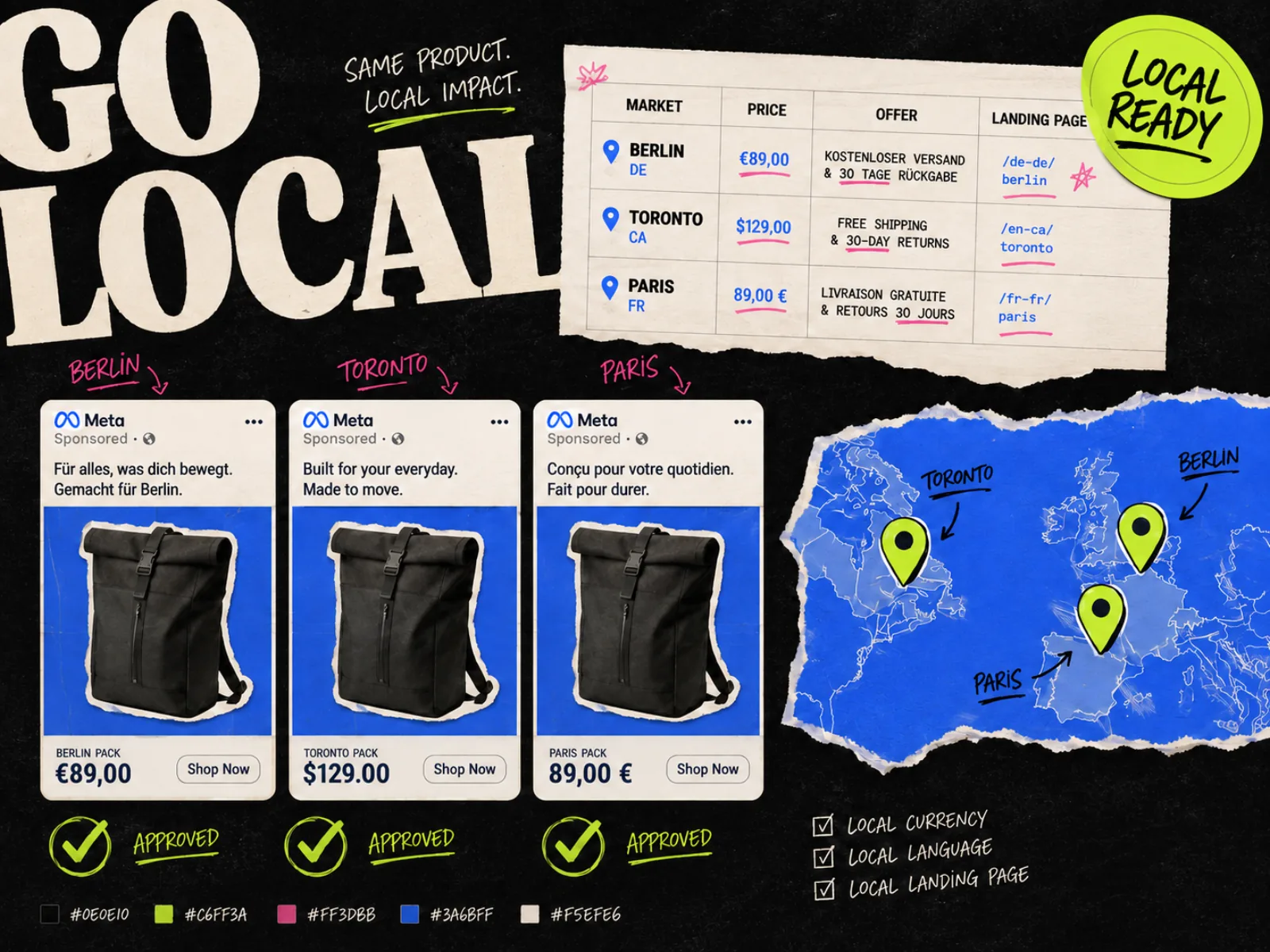
Localizing an ad looks easy if the job is defined as replacing English copy with a translation. That definition falls apart the first time a German headline overruns the layout, a Canadian ad shows US dollars, or a promotion ends on the wrong date.
A useful localization workflow changes the copy and the market facts while protecting the idea behind the ad. It also gives a local reviewer enough control to catch the details automation misses.
The right tool depends mostly on volume. A team making six language versions of one campaign needs a different setup from a retailer producing hundreds of city, price, and product combinations every week.
The five tools at a glance
| Tool | Best fit | What it localizes | Main trade-off |
|---|---|---|---|
| Hunch | Paid-social teams running many local campaigns | Copy, language, city, currency, price, offers, and feed fields | More setup than a small batch needs |
| Smartly | Enterprise paid media across markets and channels | Feed-driven copy, product data, formats, and audience variants | Built for a broader media operation, not occasional translation |
| Bannerflow | Global teams with regional review and approval | Languages, regions, sizes, copy, pricing, disclaimers, and live campaign updates | Best suited to structured creative operations |
| Celtra | Enterprise brands with strict design governance | Modular creative across markets, channels, formats, and languages | Requires an intentional template system |
| Canva | Small teams localizing a manageable batch | Translated text, data-driven versions, and channel sizes | QA and campaign handoff remain mostly manual |
These tools still need an in-market review. Their job is to remove the repetitive production work that happens before it.
1. Hunch: best for hyper-local paid social
Hunch is built around templates, data feeds, and campaign automation. A team can create one master design, mark fields such as store name, city, currency, price, offer, or local-language copy as dynamic, then supply the market values through a sheet or feed.
That makes Hunch a strong fit for multi-location businesses, travel advertisers, retailers, and agencies managing many regional campaigns. It can connect the creative-production job to campaign setup on Meta and other paid-social channels, which cuts out a separate upload step.
Hunch is not simply translating a finished JPG. It assembles market versions from controlled inputs. The local price comes from a price field. The city name comes from a location field. The design only exposes the parts that are meant to change.
Choose Hunch when local variation is part of campaign operations. It is probably too much machinery when you need four translated statics twice a year.
2. Smartly: best for global paid-media operations
Smartly combines dynamic image and video templates with automation feeds. Teams can use approved templates, connect market or product data, and generate variations across languages, formats, channels, or audience groups.
This is useful when localization has to stay close to media buying. A global ecommerce team might need the same promotion in several markets, but each version has a different currency, legal line, product availability, and placement mix. Feed fields keep those facts attached to the right creative instead of relying on filenames and copy-paste.
Smartly also supports review before generated outputs go live. That matters because a technically valid feed row can still produce a bad ad. Long copy may wrap over the product. A translated CTA may sound unnatural. A seasonal image may be wrong for the market even when every field is populated correctly.
Pick Smartly when you already have a formal paid-media operation and want creative production inside it. A small brand may pay for a large operating system when a design tool and a disciplined spreadsheet would do.
3. Bannerflow: best for regional approvals
Bannerflow uses a master-based workflow. The central team builds a creative, creates versions across sizes and markets, and can push later changes through the connected set. It also supports automated translation and lets regional teams adjust or approve their versions.
Its regional review path earns Bannerflow a place on this list. Localization often slows down because the global team owns the design while local teams own the language, offer, and legal context. Emailing flattened files between them creates duplicate feedback and no reliable source of truth.
Bannerflow is a good fit when local marketers need room to refine copy without moving logos, changing fonts, or rebuilding the layout. A central team can lock the brand system while leaving the right fields editable.
Its scope reaches beyond static paid-social ads into HTML5, video, display, and dynamic campaigns. That breadth is useful for a global campaign, but it may be unnecessary if Meta statics are the only deliverable.
4. Celtra: best for brand-governed global production
Celtra treats localization as one part of modular creative production. Designers build reusable systems with rules and guardrails, then other teams adapt approved concepts for a market, format, audience, or language.
This model works when the cost of a brand mistake is higher than the cost of setting up the system properly. Global brands can give regional teams controlled toolkits instead of an open design file. The local team changes approved modules; the central team keeps the composition and brand rules intact.
Celtra supports static, video, HTML, and rich-media production, so it makes sense for organizations running one campaign through several channels. The setup only pays off if the team will reuse the modules. Building a complex template for three ads is automation theatre.
Choose Celtra when design governance and global-to-local handoff are the hard parts. If your bottleneck is only translation, start smaller.
5. Canva: best for a smaller, hands-on batch
Canva gives smaller teams a practical route into localization without a full creative-automation platform. Its Translate feature can create translated design pages and adjust font sizing. Bulk Create can populate versions from structured data, while Magic Resize adapts a design for other channel sizes.
For a handful of markets, the workflow is straightforward:
- 1.Duplicate the approved source design.
- 2.Translate the selected pages.
- 3.Replace price, date, offer, and legal fields from a reviewed sheet.
- 4.Fix typography and line breaks by hand.
- 5.Resize the approved market version for each placement.
Canva's translation is machine-generated, and its own guidance tells users to review the result. Treat it as a first pass. The same applies to layout changes: automatic font reduction can stop an overflow, but it cannot decide whether the headline has become too small to work as an ad.
Canva is the sensible choice when a marketer or designer will inspect every output. Once the version count makes that impossible, move to a feed-driven system with stronger approval controls. Our guide to Canva alternatives for Meta ads covers the wider production trade-offs.
What to localize besides the words
A translated headline is only one row in the checklist. Before you pick a tool, write down every market field that can change.
| Field | Example of a local change | What can go wrong |
|---|---|---|
| Language and tone | Formal German instead of casual US English | Grammatically correct copy sounds unlike the brand |
| Currency and price | $39 becomes €42, not a direct symbol swap | Wrong value, separator, tax treatment, or symbol position |
| Offer terms | Free shipping threshold changes by market | The ad promises a deal the landing page does not honor |
| Dates and time | Promotion ends at local midnight | Ambiguous date formats or the wrong time zone |
| Product and inventory | A regional SKU replaces the global hero product | The pictured item is unavailable after the click |
| Imagery | Local packaging, season, setting, or model | The image feels imported or shows the wrong product label |
| Claims and legal copy | Market-specific disclaimer | A required condition is missing or unreadable |
| Destination | Local landing page and tracking parameters | Language, price, or offer changes after the click |
Do not let the tool infer these facts. Give it a reviewed source.
Build the source sheet before the template
Start with one row per market and offer combination. A workable sheet might include:
Keep copy and facts separate. If the headline contains the price, that price becomes harder to update and easier to miss. A dedicated price field can feed the ad, landing-page check, and QA report from the same source.
The creative brief should also say which parts of the concept are fixed. If every region changes the hook, proof, image, and offer at once, you no longer have localized versions of one campaign. You have different campaigns that happen to share a template. Our ad creative brief template is a useful starting point for those boundaries.
A localization QA pass that catches real mistakes
Automation should finish with a review queue, not a download folder.
For every market, check the rendered ad at phone size and answer these questions:
- 1.Does the copy sound natural to someone in that market?
- 2.Are price, currency, date, units, and offer conditions correct?
- 3.Does the type still have a clear hierarchy after translation?
- 4.Are the product, packaging, people, and setting appropriate?
- 5.Is every required claim or disclaimer present and readable?
- 6.Does the click open the matching local landing page?
- 7.Are the tracking parameters tied to the right market and version?
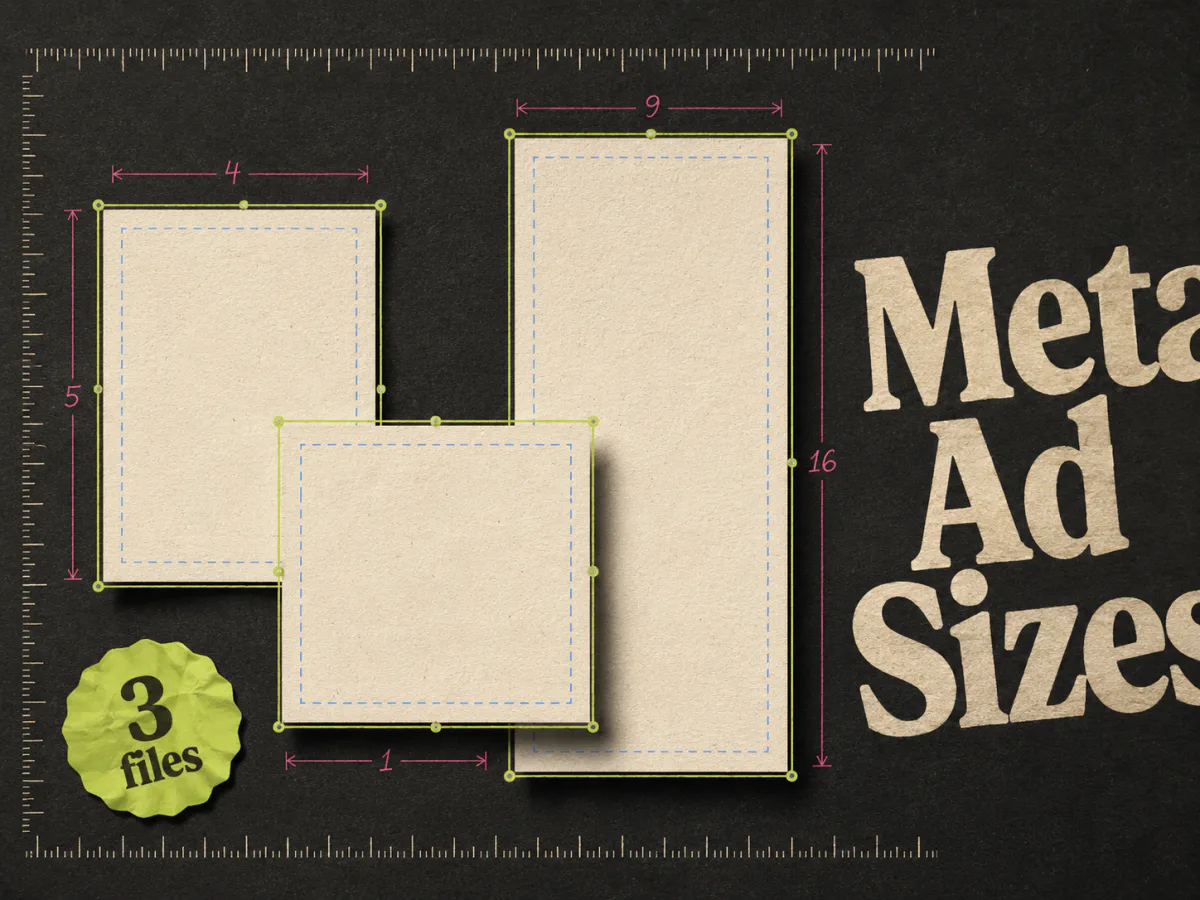
Then inspect each placement separately. A long translation that fits a 4:5 Feed ad may fail in a square or sit under interface controls in a 9:16 placement. Use our Meta ad size guide when setting up the source templates.
Name one human approver per market. Shared responsibility sounds safe and usually means no one catches the final error.
Keep localization separate from creative testing
Localization and testing can share the same production system, but they answer different questions.
A localization check asks: did we preserve the campaign idea and make it accurate for this market? A creative test asks: which message or execution performs better?
First approve a clean local control. Then test one meaningful variable inside that market. Do not compare an English price-led ad in one country with a translated testimonial ad in another and call the result a creative learning. Market, message, and execution all changed.
If you need a structure for the test itself, start with what creative testing means. The localization sheet should make it easier to trace the exact asset, not tempt the team to generate every possible combination.
Where Adrio fits
Adrio is not a translation platform or a feed-driven localization engine. It fits earlier in the workflow when a Meta team needs to research creative patterns and produce editable static ads.
The Adrio inspiration library can be filtered by ad language, which helps a team study how advertisers frame hooks, offers, and proof in that language. Once the base direction is approved, Adrio can produce editable static variants and export them in 1:1, 4:5, and 9:16.
The local copy, prices, claims, and destination still need a reviewed source and an in-market approval step. For a broader look at production options, see our comparison of AI ad creative tools.
FAQ
What is ad creative localization?
Ad creative localization adapts an ad for a specific market. It can change language, tone, price, currency, offer terms, dates, product imagery, legal copy, and the landing page while keeping the campaign idea recognizable.
Can AI fully automate ad localization?
AI can draft translations, populate templates, resize layouts, and flag some inconsistencies. It should not be the final approver for claims, prices, cultural context, or natural language. Use a qualified in-market reviewer before launch.
What is the difference between translation and localization?
Translation changes the language. Localization also changes the market context around the words, including offers, prices, imagery, legal requirements, product availability, and destination pages.
Which localized ad creative tool is best for a small team?
Canva is a practical fit for a manageable batch that one person can inspect. Hunch, Smartly, Bannerflow, and Celtra make more sense when templates, feeds, regional approvals, or campaign automation justify the setup.
What should go into a localization data feed?
Include a stable market ID, locale, approved copy, price, currency, offer terms, dates, product assets, legal text, landing URL, tracking code, reviewer, and approval state. Keep important facts in separate fields rather than burying them inside headlines.
Should every market use the same ad creative?
Use the same underlying idea when it remains relevant, but allow local teams to change facts and context. If the customer problem or proof does not travel, write a new market brief instead of forcing the global template to fit.