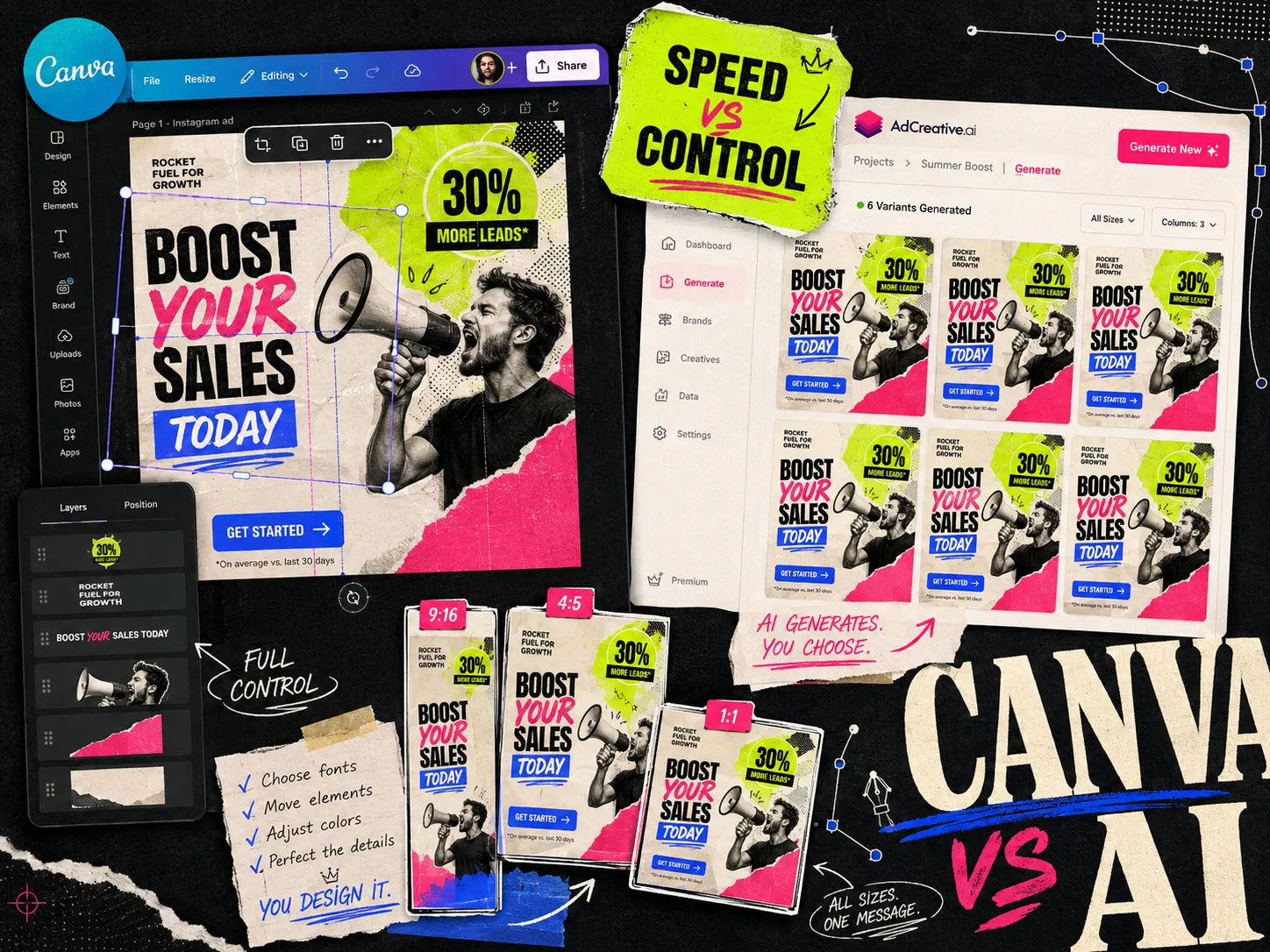
For ecommerce Meta ads, compare Canva Grow and AdCreative.ai on the work you need to finish: preparing the brief, generating drafts, correcting the product, and handing over approved creative. Both now offer AI ad creation. Describing Canva as a purely manual tool misses its current product.
Choose Canva when keeping your design and ad work in one workspace matters. Consider AdCreative.ai when creative scoring and batch generation are priorities. Consider Adrio when you want to carry competitor references and product context into static production.
Adrio publishes this comparison. The feature descriptions below come from linked vendor pages reviewed on September 11, 2026. The sample brief is a suggested evaluation exercise, not a completed speed or ROAS benchmark.
AdCreative.ai vs Canva at a glance
| Decision | Canva | AdCreative.ai |
|---|---|---|
| Ad creation | Canva Grow generates ads and opens them in the editor | AI creative generation with performance scoring |
| Existing team workflow | Useful when your brand assets and design work already live in Canva | Useful when your team wants a dedicated ad-generation workspace |
| What to inspect in a trial | Editing effort and access to the Grow features you need | Output quality, score usefulness, and credit consumption |
| Product review | Check the packshot, label, price, and claim | Check the packshot, label, price, and claim |
| Buying decision | Compare the required Canva plan and AI allowance | Compare the required plan and download allowance |
Canva Grow's product page describes ad generation, editing, publishing, and performance insights. AdCreative.ai's creative generator describes generation, scoring, customization, and platform sizing. Those capabilities overlap. The right choice depends on how well each handles your actual product.
Use the same ecommerce brief in both tools
A useful trial starts with one product you know well. Upload the same approved images and copy. If one tool gets a clean packshot and the other gets a blurry screenshot, you are testing your inputs as much as the software.
Here is an illustrative brief for a refillable hand-wash brand. Replace the details with facts from your own product page.
| Brief field | Example input |
|---|---|
| Product | One hand-wash dispenser and its refill pouch |
| Buyer question | What happens when the bottle runs out? |
| Message | Keep the dispenser; replace the refill |
| Evidence | Actual refill instructions and product photos |
| Creative requests | A refill diagram, a product close-up, and an offer card |
| Restrictions | No invented customer quotes or environmental savings |
| Deliverables | Approved feed and vertical image versions |
Do not add a percentage saving unless you have worked out the comparison and can support it. A generator cannot fill that evidence gap for you.
A practical Canva AI Meta ads workflow
Start with the brief and approved product assets. Use Canva Grow if it is available for your account, or work from your existing designs. Review each draft in the editor. Keep an editable source file for every approved ad.
The useful question is how quickly your team can fix the awkward bits: a headline that wraps badly, a packshot that looks distorted, or a layout that stops working vertically. Record that work as part of the trial. Time spent correcting a draft belongs in the production cost.
If your team already has a well-maintained Canva template library, include that workflow in the comparison. Replacing a working process needs a better reason than a newer feature list.
A practical AdCreative.ai Meta ads workflow
Load the same brief and assets, generate a set, and review the outputs before considering their scores. AdCreative.ai's custom-template feature is also worth checking if maintaining an existing design system is part of the job.
Reject drafts with incorrect products or unsupported claims. Then use scores, if helpful, to decide which remaining ads deserve a test. A predicted score does not tell you what the ad will cost to acquire a customer in your account.
Keep a count of discarded outputs and the credits used to replace them. A low subscription price can become less attractive if you spend much of the allowance repairing the same ad.
Should you use AdCreative.ai and Canva together?
You can generate in one tool and finish in another, but inspect the handoff. An exported image does not necessarily carry its original editable text and layout into the next editor.
Before buying both subscriptions, try changing the headline on one imported output. If that means covering the old text and rebuilding the layout, account for the extra work. Keep source files and approved exports separate so someone can find the editable version next week.
Where Adrio fits
Adrio is a useful option when the brief starts with a competitor reference: identify the layout or message you want to test, bring your own product into the project, and generate a new execution. A visible competitor ad is research material; it does not prove that the advertiser is profitable.
For a walkthrough, use our AI static ad generator guide. If your current process starts with templates, read Adrio vs CreativeOS + Canva. The weekly creative workflow includes planning sheets that work with any of these tools.
Compare the total cost
Check Canva's current plans and AdCreative.ai's pricing section before subscribing. Record the billing interval, seats, AI or download allowance, and the features included in that specific plan. Promotional and annual prices should not be presented as monthly rolling prices.
Adrio's published pricing lists Basic at USD 29 per month with 300 credits, Pro at USD 69 with 1,000, and Max at USD 149 with 2,200, on monthly billing when checked September 11, 2026. Credits are usage units, not a promise of that many finished ads.
For your own comparison, divide subscription costs and production labor by the number of approved ads. Keep media spend separate.
FAQ
Is AdCreative.ai better than Canva for Meta ads? AdCreative.ai is worth evaluating for scored creative generation. Canva is worth evaluating when your team wants ad creation inside its existing design workspace. Compare approved outputs from the same brief before choosing.
Can Canva generate AI ads? Yes. Canva Grow offers AI ad generation. Canva should not be compared as a manual-only tool.
Can I use AdCreative.ai and Canva together? Yes, but test the file handoff. An exported image may require rebuilding text or layout when you bring it into another editor.
Does a higher creative score guarantee a lower CPA? No. A predicted score is a suggestion for evaluation. Your own campaign delivery and conversion data determine CPA.